Moving from ShootProof to Tellisto, step by step
Download your galleries, request your contacts and save your invoice records from ShootProof before you cancel. Then set up your current work in Tellisto.
4 things to set up · about 70 minutes all up
Skip to the setup ↓Still deciding? Read how Tellisto compares to ShootProof first. This page is the how-to for once you have.
The safe order for moving across, in 36 seconds.
What this does
ShootProof lets you download each gallery’s photos at original resolution, one gallery at a time. There’s no button to export them all together. Contacts have no export button in the app at all, and the only documented path is their API. So the practical move is to ask their support team for a full export while you still have access. Invoice and payment history has no export path, and contracts and email templates have none confirmed either. You save or copy those out by hand.
The guide works in this order: get everything out of ShootProof, set up your live galleries and active clients in Tellisto, then cancel once you’ve checked the archive opens. You don’t need to move your whole ShootProof history into Tellisto on day one. Your downloaded files are the archive, and Tellisto starts with the galleries and clients you have on now.
Set it up
These steps describe ShootProof as it was in July 2026. Please check their current help pages before you cancel, downgrade or delete anything.
Step 1 of 4 · 30 min
Get your photos and people out of ShootProof
Your gallery photos downloaded to your own computer, a request sent for your contacts, and your invoice records saved, before anything happens to your ShootProof account.
- Download your galleries one at a time. Open each gallery as the photographer, look for the more-actions menu (the stacked dots near the top right), and choose the option to download the whole gallery as a ZIP at original resolution. There's no all-galleries export, so this is gallery by gallery, and the time it takes scales with how many photos you've got stored.
- ShootProof has no contacts export button in the app. The only documented path is their API, which most photographers never use directly. Email support@shootproof.com and ask for a full export of your contacts (names, emails, phone numbers, addresses) while your account is still active. Keep your own list of the clients you're actively working with in the meantime, so you're not stuck waiting on them before you can move.
- There's no export for invoice or payment history at all. Open each invoice or payment record your accountant will need, and save it as a PDF or a screenshot while you can still see it.
- Contracts and email templates have no confirmed export either. Open the ones you actually use and copy the text into a document you can paste from later.
Step 2 of 4 · 20 min
Rebuild your live galleries in Tellisto
Your live galleries rebuilt from the ZIPs you just downloaded, and open for clients to view.
- Start with the galleries clients are actually looking at right now, not the whole archive. Create a gallery in Tellisto for each one. Create a gallery
- Unzip the folder you downloaded from ShootProof and drag the whole thing into Tellisto's uploader. It takes the lot in one go, uploads in parallel, and picks up again if your connection drops, so you're not adding photos one by one or watching over the upload.
- Leave anything that's finished (delivered, paid, nothing left to discuss) in your archive for now. You can bring it across later if a client ever needs it again; there's no need to rebuild your whole ShootProof history on day one.
Step 3 of 4 · 15 min
Bring your people across
The clients you're working with now in Tellisto, each with a way to reach them.
- Tellisto can bulk-import a client CSV (Clients → Import, choose Spreadsheet / other), but you won't have one from ShootProof until support replies. Until then, add clients one at a time, from your own list or from whatever ShootProof sends back. Start with whoever you're shooting for or talking to right now, not your whole client history. Add a client
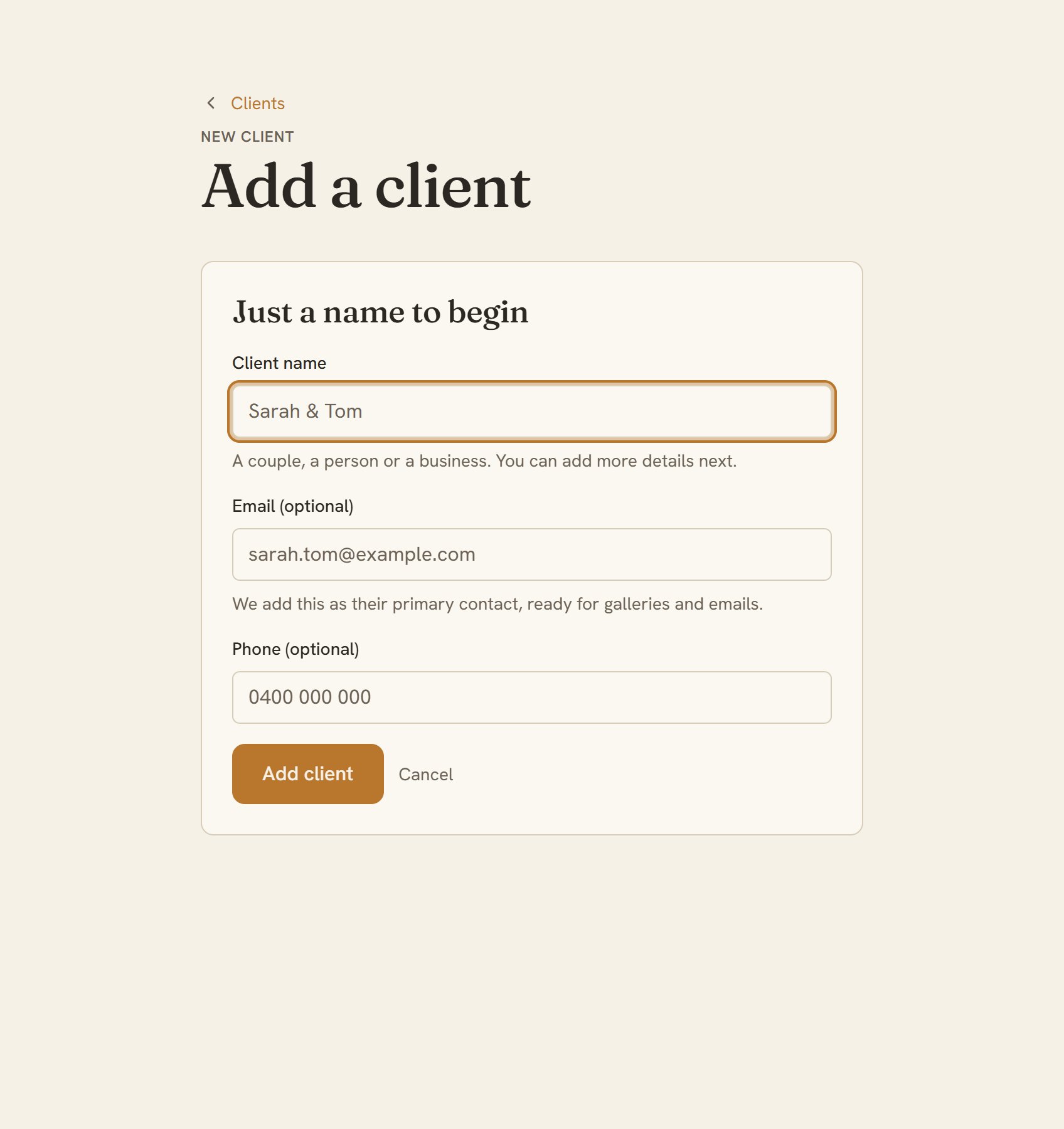
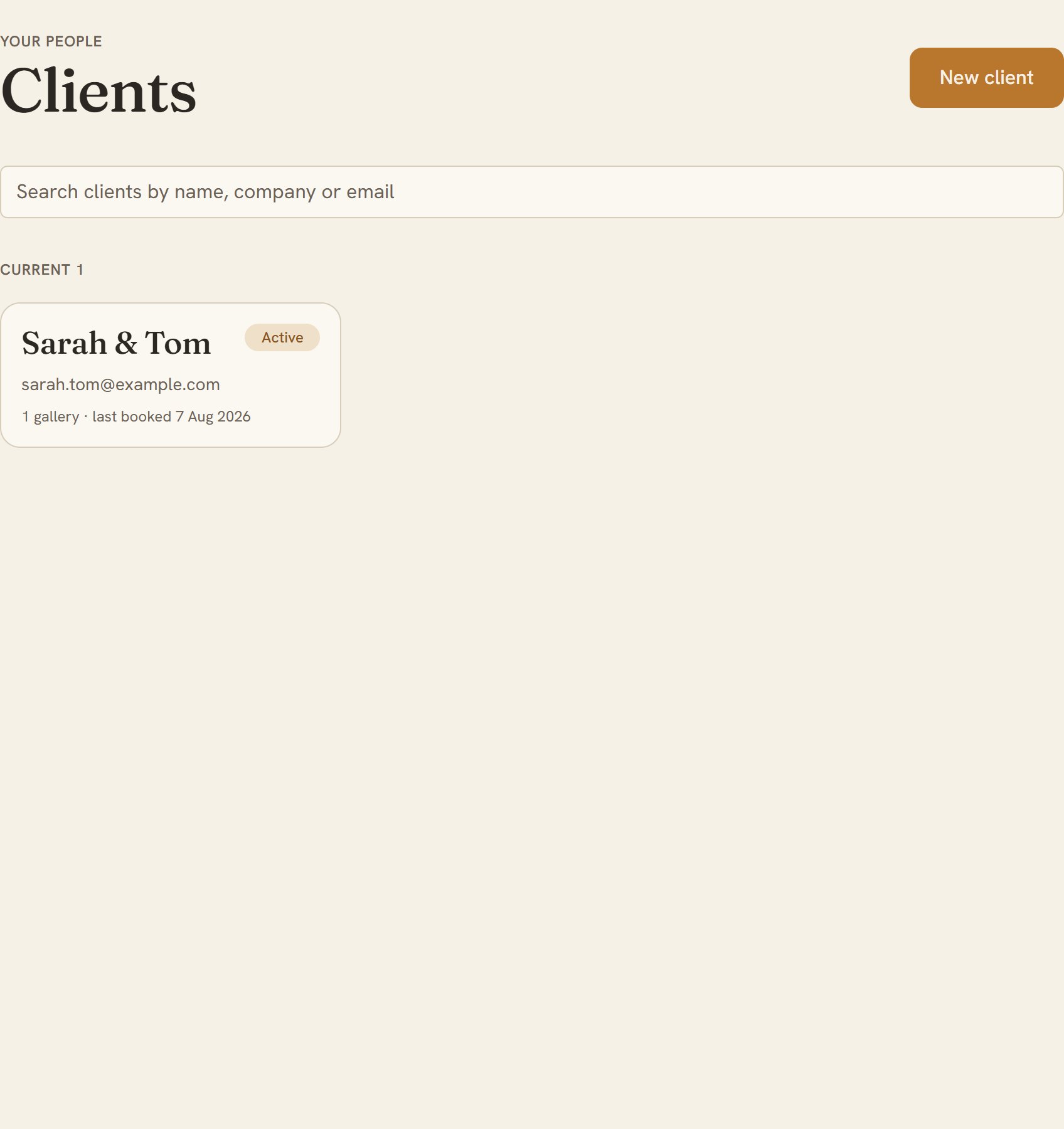
- Now check it. Open your Clients list and look for everyone you're working with now, each with a name, an email and a way to reach them. Open your Clients list
Step 4 of 4 · 5 min
Keep the archive, then cancel
Your full history saved in your own storage, and your ShootProof subscription cancelled.
- Put the gallery ZIPs, your contacts export, and the invoice records you saved somewhere safe: your backup drive, Google Drive, Dropbox. You'll rarely open them, but the day a client asks about a shoot from two years ago, you'll have it.
- ShootProof's terms say your content is deleted once you cancel, with no grace period documented, so treat cancelling as the moment access ends. Don't cancel until you've checked every ZIP actually opens.
- Cancel from your account icon → Plan & Billing. Do it at least 3 days before your current billing period ends: ShootProof can charge you for another cycle if you cancel any later than that.