Capture enquiries from your bio, website and DMs
Add an enquiry link to your Instagram bio and a form to your website, and log DMs in seconds. Every enquiry arrives in the same Leads inbox.
3 things to set up · about 8 minutes all up
Skip to the setup ↓Every enquiry in the same inbox: the 36-second overview.
What this does
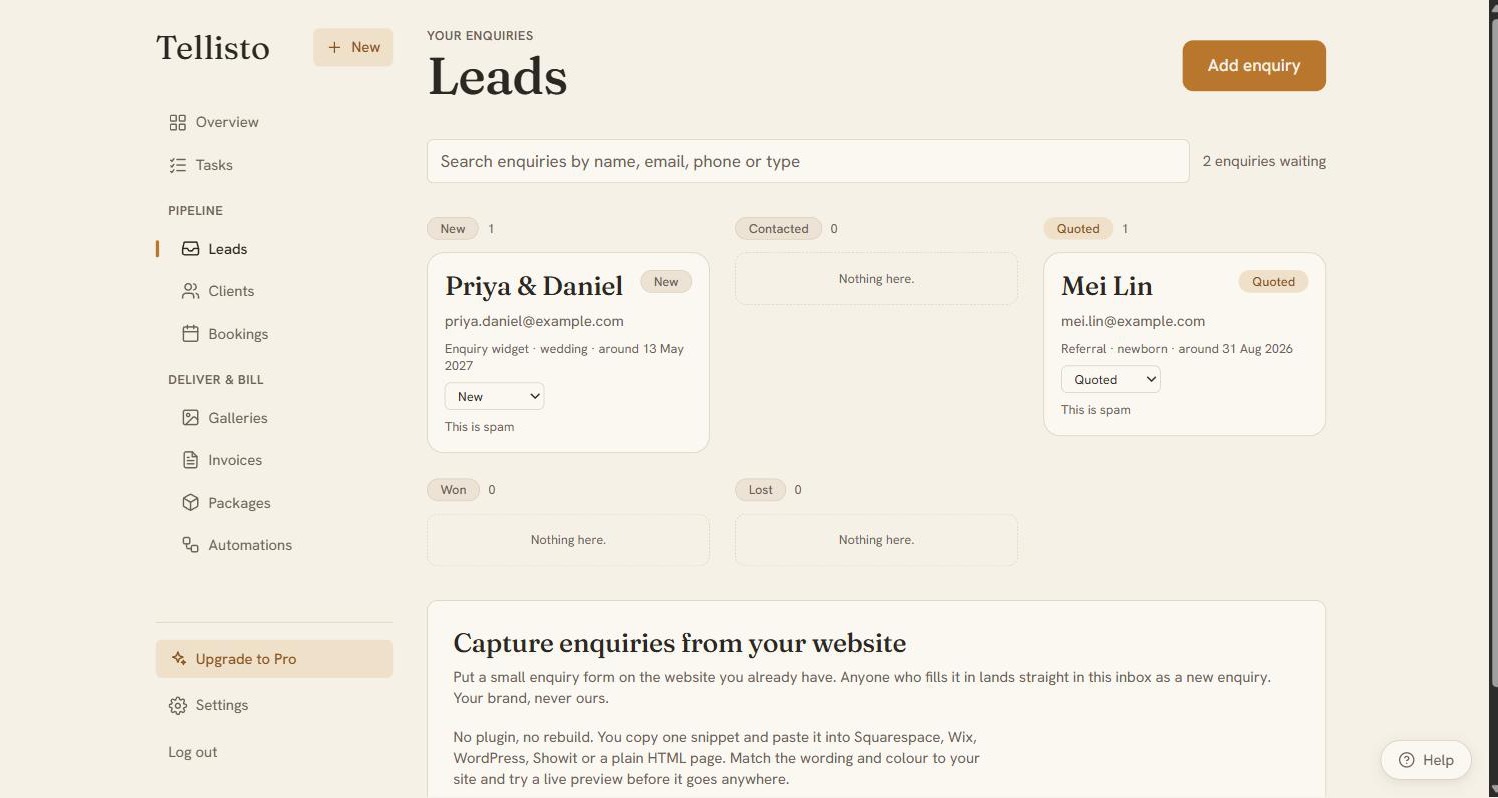
Enquiries come from everywhere: your website’s contact page, Instagram DMs, a text from a friend of a friend. Tellisto gives each of those a way in, and they all arrive in the same Leads inbox.
Whichever way an enquiry comes in, the same things happen. The enquirer gets an instant reply in your name (you write it once, in your own words). Anything that looks like spam is kept apart from your real enquiries, and no auto-reply goes to it. When a lead books, one click converts them to a client (and a booking if you want). Their details carry across, so you never retype them.
Each step below ends with a quick test where you play the client. By the end you’ll have sent yourself three enquiries and seen exactly what goes out under your name.
Set it up
Step 1 of 3 · 3 min
Put the link in your bio
A fast enquiry page on your own studio address, linked from your Instagram or TikTok bio, and tested by you.
- In Tellisto, go to Leads → Set up enquiries. Your enquiry link is the first thing on the page: copy it. Open enquiry setup
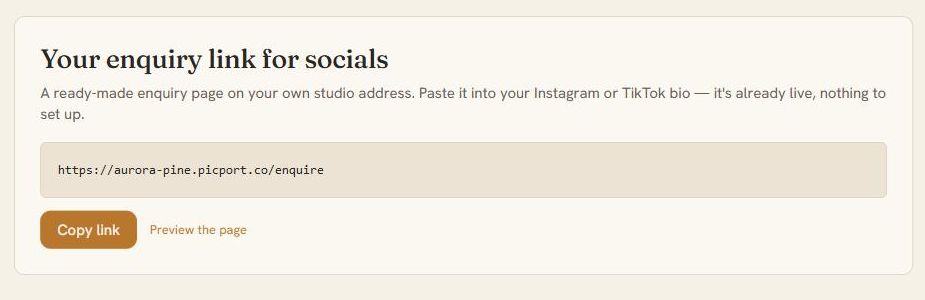
- Paste it into your Instagram, TikTok, or Facebook bio. The page is already live and built for phones, since a bio link is usually tapped on one. It asks for just enough (name, email, shoot type, date, an optional message).
- Now test it. Open your bio on your phone like a client would, tap the link, and send yourself an enquiry. Check it appears in Leads, then read the instant reply that arrives in your email. That's exactly what your clients get. Watch it land in Leads
Step 2 of 3 · 4 min
Put the form on your website
A small enquiry form on the site you already have, in your colours and words, with no mention of Tellisto.
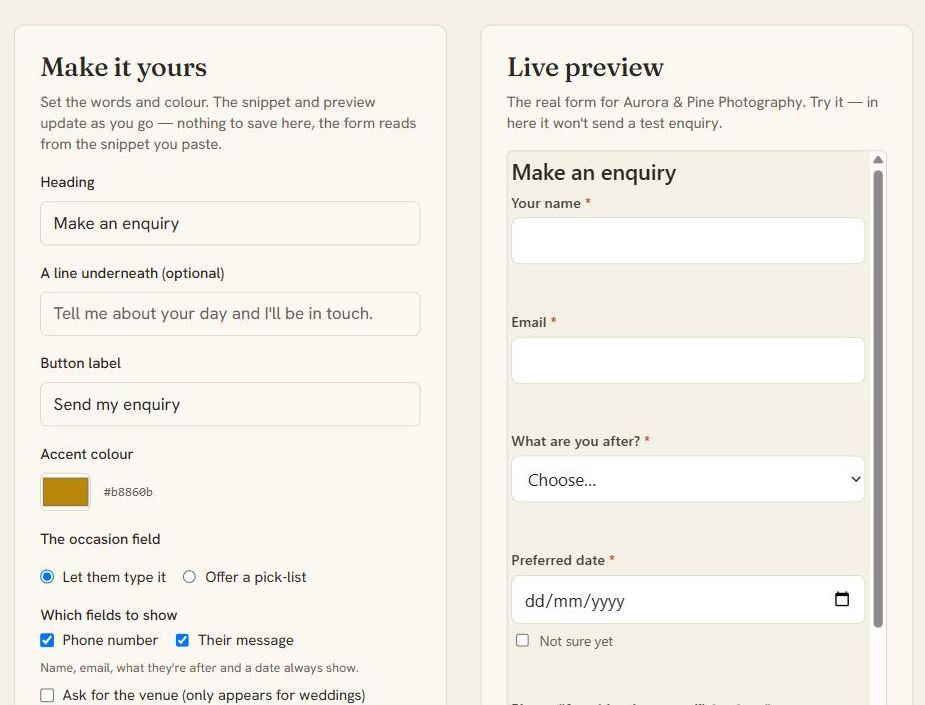
- On the same Set up enquiries page, scroll to Make it yours. Set the heading, button text, and accent colour; the colour starts from your brand, and the shoot-type list starts from your own packages. The live preview beside it is the real form, and trying it out doesn't create a test lead. Open enquiry setup
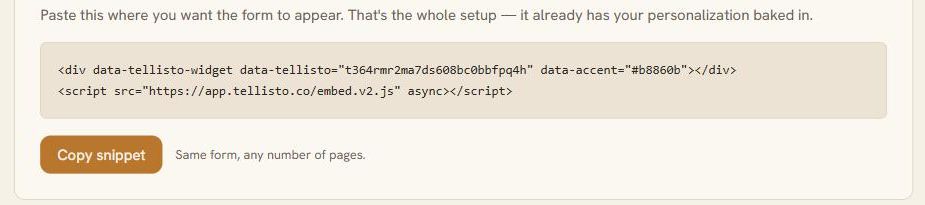
- Copy the snippet and paste it into your website wherever you want the form: Squarespace, Wix, WordPress, Showit, or a plain HTML page. No plugin to install.
- Put the instant reply in your own words while you're there. It goes out in your name the moment someone enquires.
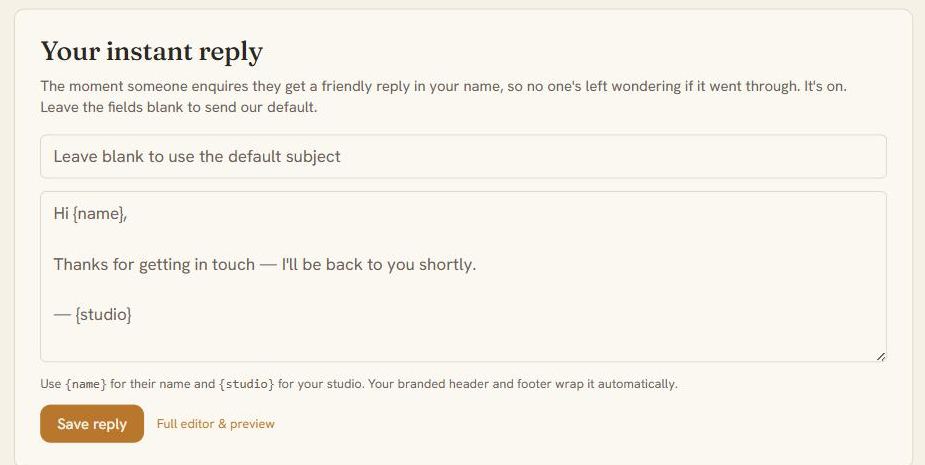
- Now test it. Open your own website and send yourself an enquiry through the form. It arrives in the same inbox, tagged as a website enquiry, and the reply arrives just like it did from your bio link. Watch it land in Leads
Step 3 of 3 · 1 min
Capture the ones that come to you
DM and phone enquiries added to the same inbox in seconds, so none get lost in your messages.
- When an enquiry arrives as a DM, a text, or a chat at school pickup: tap the + button in Tellisto, jot the name and what they're after, and save. Open Leads
- That save was the test. It's already in your inbox tagged Quick add, and it triggered the same instant acknowledgement as the other two ways in. You've now seen all three work.
The detail
How it behaves
This page is for your first week, when you want every enquiry to reach you instead of scattering across email, DMs and a notebook. By the end you’ll have one form collecting enquiries from your website, your social bios and your galleries. An instant reply goes out in your voice, and junk stays out of your inbox. All of it is on the free plan.
Three ways in, one pipeline
Enquiries come from more than one place, so Tellisto collects them from three and feeds them all into the same pipeline. The first is a form embedded on your own website. The second is a bio-link page. That’s a standalone version of the form with your branding, served on your neutral gallery domain, for the link in your Instagram or TikTok bio. The third is a button on your delivered galleries, so a wedding guest who loved the photos can enquire with you on the spot.
That last one matters more than it sounds. People looking at a gallery you delivered already like your work. Letting them enquire from inside it turns one delivered job into a source of the next. On Private galleries the button is hidden, so sensitive work never invites enquiries from strangers. There’s more on that in Private galleries.
However an enquiry arrives, it ends up in one list with everything the client wrote. You don’t forward emails to yourself or retype names into a spreadsheet.
An instant reply to every enquiry
Answering fast wins the job. A couple emailing photographers at midnight often books whoever answers first. You can’t sit by the inbox at that hour, so Tellisto sends the first reply for you.
The auto-reply is on from your first day. It goes out as soon as an enquiry arrives, with your logo and accent colour, from a neutral domain that reads as your studio. Even on the free plan it carries your name. You can rewrite the words so it sounds like you rather than a form receipt. If you’d rather reply personally every time, switch it off and the pipeline still works.
This is one of the emails Tellisto sends for you. The same rule applies to all of them: your words, your brand, and your choice whether they send.
Keep the form short
A long form loses people. The default asks only for what you need, and the extra fields stay off until you turn them on. There’s an optional venue field for weddings, and an optional budget dropdown you fill with your own ranges. Both are off by default. Add them when you need the information, and leave them off if they’d stop people enquiring.
Spam goes to its own tray
A public form attracts spam, and Tellisto is built so a flood of it can’t bury real enquiries. Likely junk, such as throwaway email addresses, link dumps and gibberish, goes to a “Possible spam” tray instead of your pipeline. Nothing is deleted, and one tap restores anything that ended up there by mistake. A lead held as spam sends no auto-reply and no notification, so a spammer never receives a branded email from your studio.
If the form is hit by a burst of fake submissions, it pauses itself, shows you one notice, and resumes on its own. You can also resume it by hand. Either way, real enquiries don’t get lost among the junk, and you don’t have to do anything.
The embedded form is walled off from your site
The form on your website is a cross-origin iframe. In plain terms, it’s walled off from the page around it. Nothing else on your site, whether a theme, a plugin or a script, can read what an enquirer types into it. Their name, their phone number and the details of their day go to you and nowhere else.
You can also restrict which sites are allowed to show your form. Set an allowlist and only those sites can embed it. Leave it empty and it can be embedded anywhere, which is the right default while you’re getting set up.
Log leads that don’t come through the form
Not every enquiry comes through the form. Someone stops you after a shoot, messages you on Instagram, or swaps numbers with you at a market stall. The global ”+” logs a lead from any page in the app. A chat in a hallway goes into the same pipeline as a website enquiry, tagged with where it came from. You don’t have to keep leads in your head or on a napkin.
From there every lead follows the same path, wherever it started: reply, quote, book. The quote turns a warm lead into a booking and invoice in one step, and one thread carries the whole job from enquiry to delivery without you retyping anything.
Frequently asked questions
Quick answers
Will I get spam through my photography enquiry form?
Very little of it reaches you. Likely junk, such as throwaway addresses, link dumps and gibberish, goes to a "Possible spam" tray you can check. Nothing is deleted, and one tap restores a real enquiry that ended up there by mistake. A lead held as spam never triggers your auto-reply, so a spammer never gets a branded email from your studio. If the form is hit by a flood of submissions, it pauses itself and resumes on its own.
How do I put my enquiry form in my Instagram bio?
Use the bio-link page. It's a standalone page version of your enquiry form with your branding, served on your gallery domain, for the link in your Instagram or TikTok bio. It feeds the same pipeline as the form on your website, so an enquiry from social media gets the same follow-up as one from your website.
Can I embed the form on Squarespace or Wix?
Yes. You add the form to your existing site with one small snippet of code, and it works on any site that accepts embed code. You can also restrict which sites are allowed to show your form. Leave that allowlist empty and it can be embedded anywhere.
Does the automatic reply sound like a robot?
No, because you write it. Set the words once and they go out under your studio's name, with your branding, as soon as an enquiry arrives. Would you rather reply personally every time? Switch it off and the pipeline still works.
What happens when someone enquires from one of my galleries?
A guest who loved the photos can enquire with you straight from a delivered gallery, and that enquiry goes into the same pipeline as the rest. The button is hidden on Private galleries, so sensitive work never invites enquiries from strangers.
Keep going